> ## Documentation Index
> Fetch the complete documentation index at: https://dripart-chore-sync-comfy-api-v2-spec-d5155ac.mintlify.site/llms.txt
> Use this file to discover all available pages before exploring further.
# ComfyUI での Reve 画像の作成、編集、およびリミックス
> ComfyUI で Reve パートナーノードを活用して、最大 4K 解像度での高品質な画像生成、編集、およびリミックスを行う方法を学びましょう
Reveは提供を終了しました。Reveパートナーノードは廃止され、以下のワークフローは参考用にアーカイブされています。
Reveは、パートナーノードを通じてComfyUIで利用できる画像生成モデルです。最大**4K解像度**でのテキストから画像への生成、画像編集、画像リミックスを、3つの専用ノードでサポートしています。
## Reveについて
**主な機能:**
* **最大4K解像度**:高解像度でシャープかつ詳細な画像を生成
* **組み込みの美学トレーニング**:ファッションエディトリアル、シネマティック、自然光スタイルに適した結果を生成
* **画像編集**:既存の画像の照明条件やカラーグレーディングを変更し、モーション効果を追加
* **画像リミックス**:一貫性を保ちながら、参照画像の要素をターゲット画像に組み合わせ
APIノードを使用するには、正しくログインしていることと、許可されたネットワーク環境で使用していることを確認する必要があります。APIノードの使用に必要な具体的な要件については、ドキュメントの「[APIノードの概要](/ja/tutorials/partner-nodes/overview)」セクションをご参照ください。
ComfyUI が最新版に更新されていることを確認してください。
* [ComfyUI のダウンロード](https://www.comfy.org/download)
* [更新手順](/ja/installation/update_comfyui)
このガイドで紹介するワークフローは、[ワークフローテンプレート](/ja/interface/features/template)から入手できます。
テンプレート内に該当のワークフローが見つからない場合、ComfyUI のバージョンが古くなっている可能性があります。
ワークフローを読み込んだ際にノードが欠落している場合の考えられる原因:
1. 最新の ComfyUI(Nightly 版)を使用していない
2. 起動時に一部のノードのインポートに失敗している
* [Cloud](https://cloud.comfy.org) は、ComfyUI の安定版リリース後に更新されます。
したがって、このドキュメントでコアノードが見つからない場合、それは新しいコアノードがまだ最新の安定版にリリースされていない可能性があります。次回の安定版リリースをお待ちください。
Reve: テキストから画像へ
テキストプロンプトを入力して、詳細な美学と正確なテキストレンダリングを備えた高品質な画像を生成します。
 Comfy Cloudで開く
JSONをダウンロードするか、テンプレートライブラリで"Reve: Text to Image"を検索
**出力例**
### 出力例
```
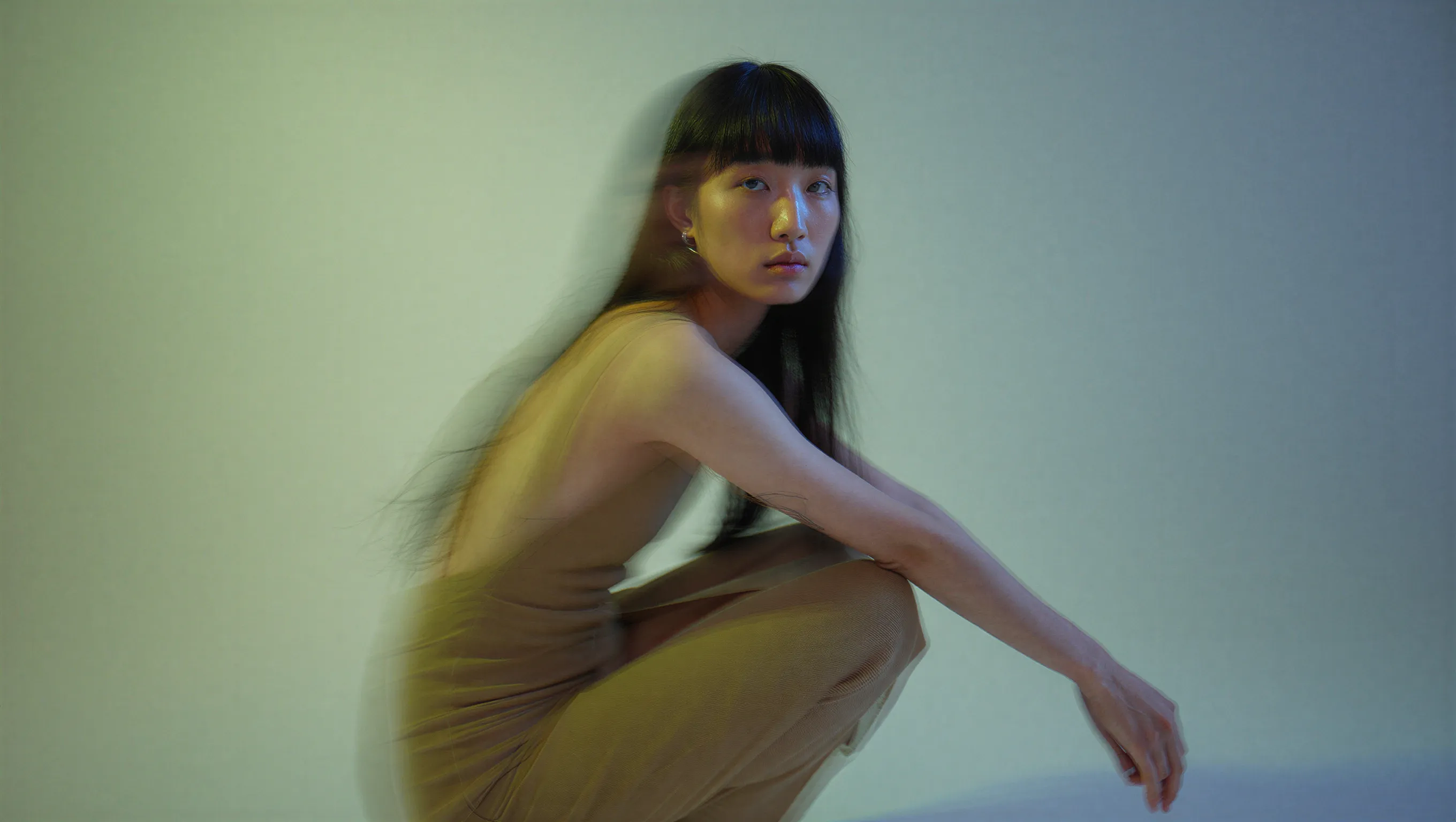
A high-fashion editorial portrait of a young East Asian model with long, straight black hair and thick bangs, crouched in a studio setting. She wears a minimalist, muted beige dress. The image features a cinematic dual-tone lighting setup, where the left side is washed in a soft greenish-yellow glow and the right side is cast in cool, muted blue-grey, creating a subtle color bleed effect. There is a slight motion blur, with the subject looking directly at the camera with a calm, neutral expression. High-end fashion magazine aesthetic, soft focus background, structured silhouette.
```
```
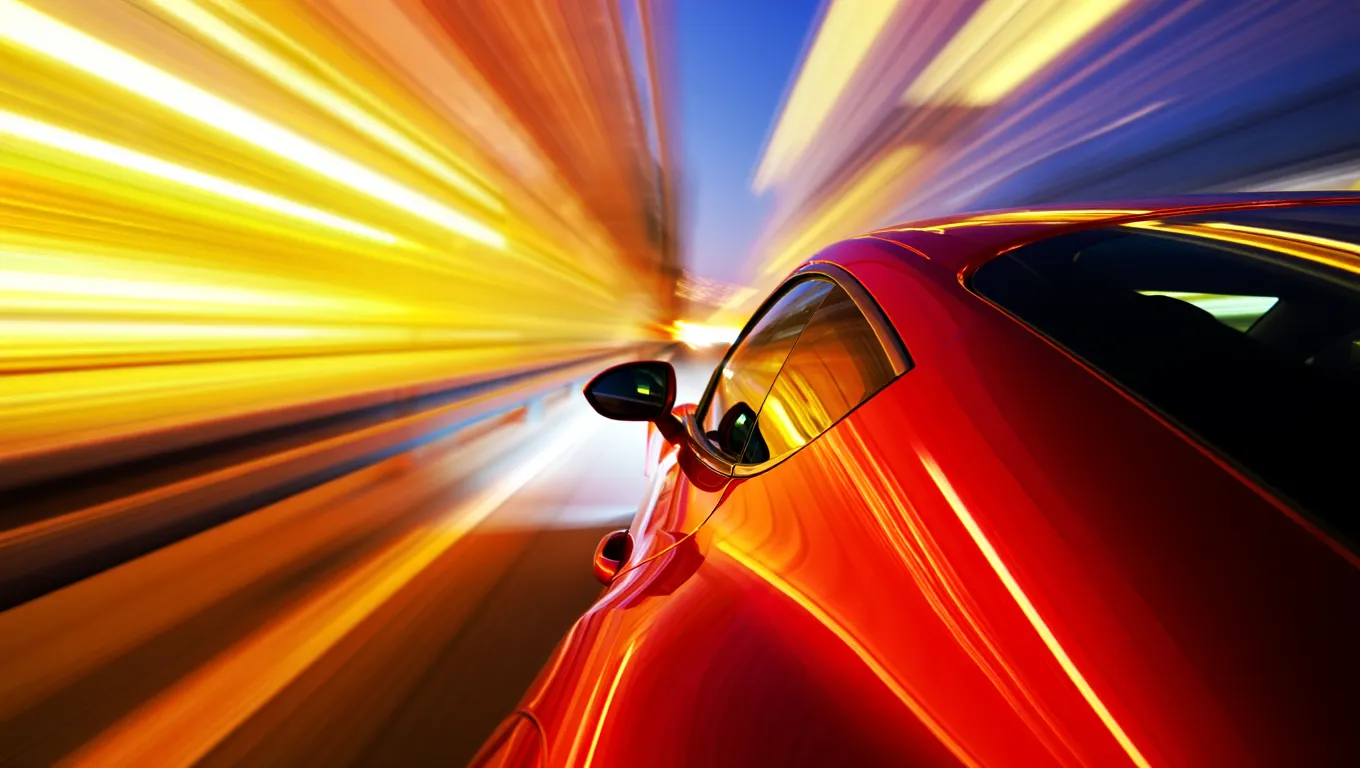
A high-speed, cinematic capture of a vibrant red sports car speeding through the night. The camera angle is positioned near the rear-three-quarter view, emphasizing the sleek, metallic curves and the car's aerodynamic design. The entire background is transformed into a dramatic radial blur of brilliant yellow, orange, and white light streaks, suggesting extreme velocity. The car's surface reflects the warm ambient lights of the city, contrasting sharply with the deep, dark blue of the night sky.
```
```
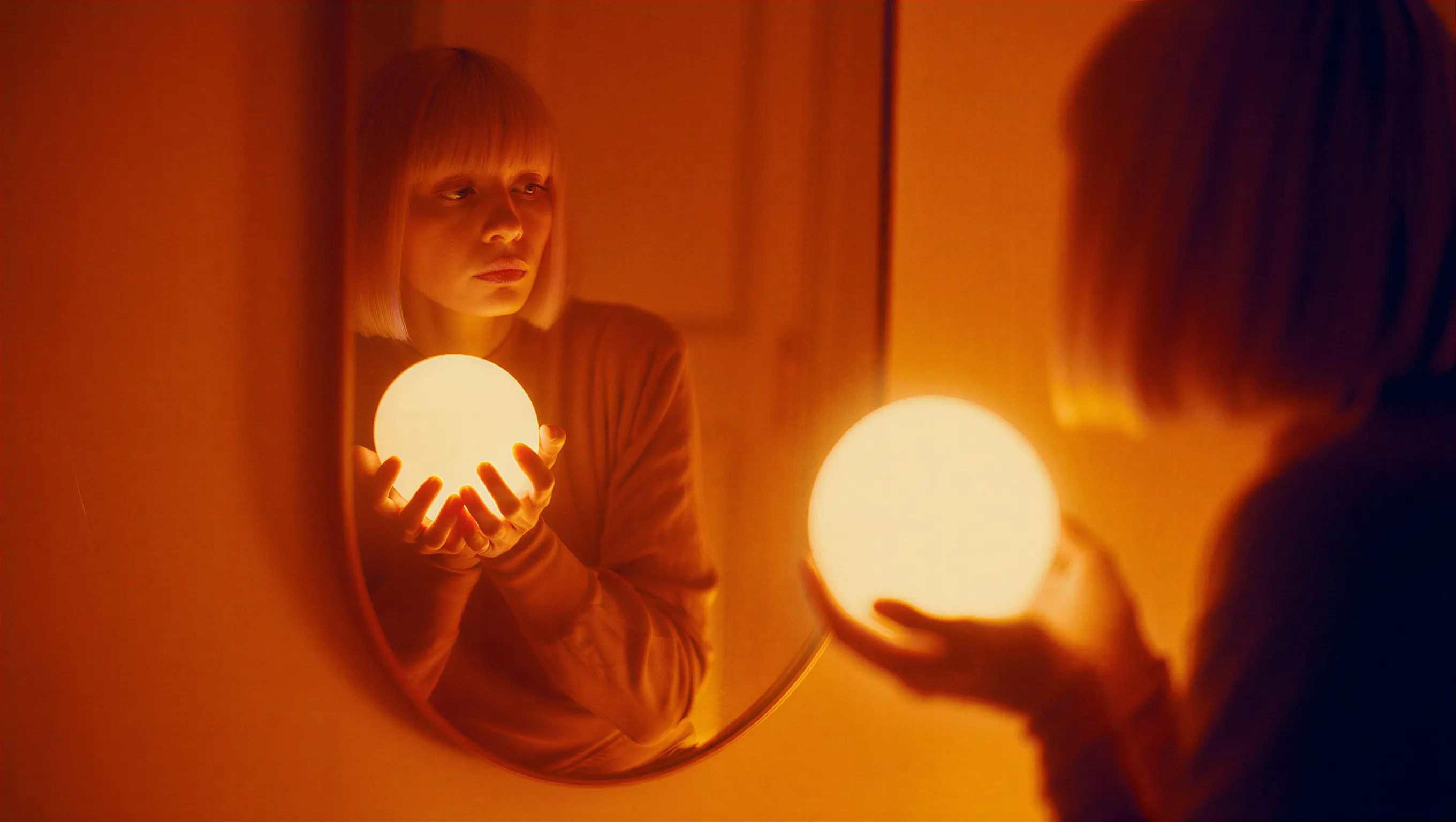
A cinematic photograph of a woman with a bob haircut looking at her reflection in a mirror, her hands gently cradling a brilliant, glowing spherical white orb. The image is saturated in deep orange and amber tones, with heavy light leaks and lens flares washing out the center of the frame as the sphere radiates subtle, ethereal light. The composition features a soft, dreamy focus with significant analog film grain, creating a nostalgic atmosphere where the reflected face in the mirror appears slightly blurred and obscured by the warmth of the light leakage.
```
```
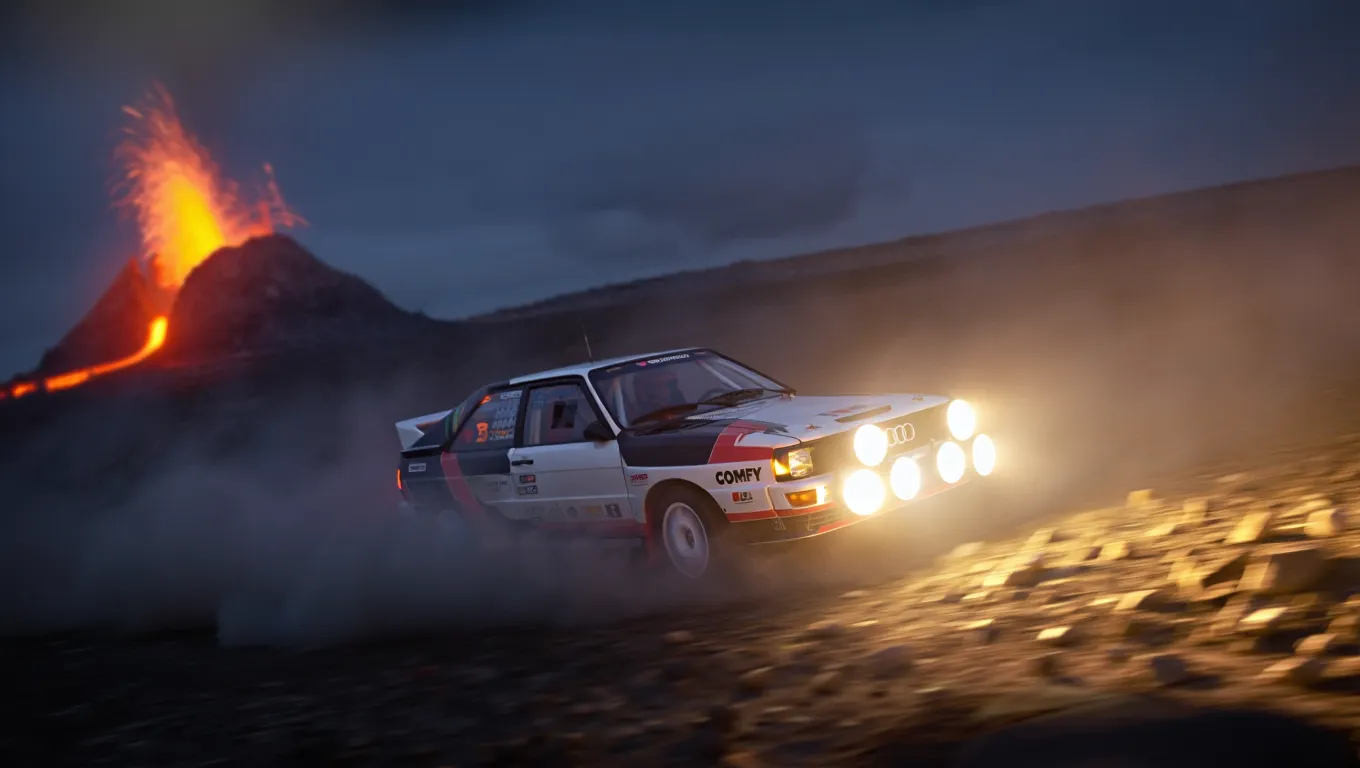
A high-action, wide-angle nighttime shot of a legendary Audi Quattro rally car drifting through a barren rocky field at the base of a volcano. The car is coated in white and black. Powerful auxiliary spotlights on the front of the car cast a bright, warm glow, catching the thick dust kicked up by the aggressive tread of the tires. In the background, out-of-focus volcano spraying lava. The scene is cold and dark, with the intense light from the lava creating dramatic contrast.
```
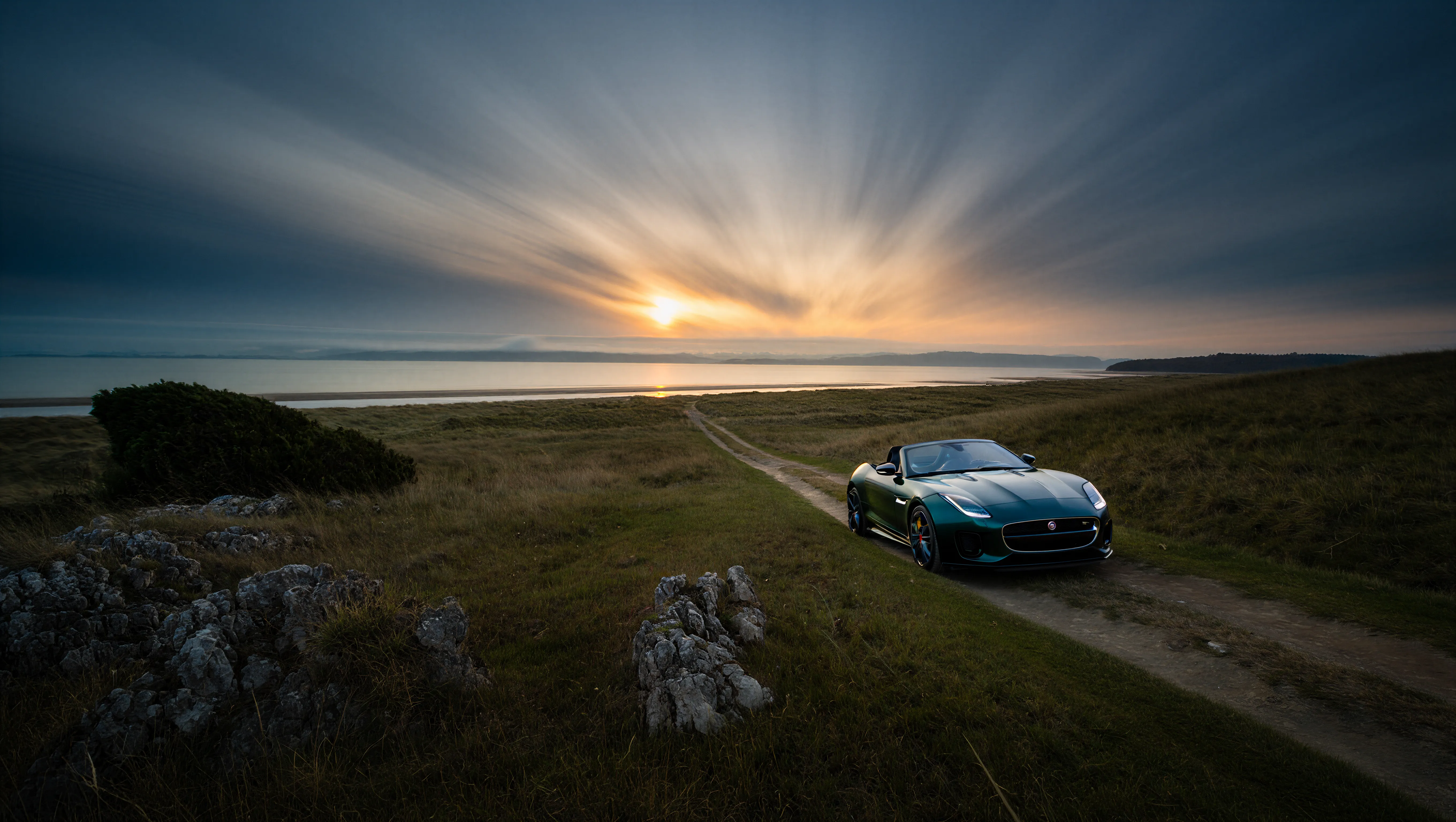
以下の例は、細部まで保持された4K解像度の出力を示しています:
```
A wide-angle landscape photograph of a solitary Jaguar F-Type car in British green, on a dirt trail facing a distant beach at twilight. The sky features dramatic long-exposure cloud streaks radiating from a low sun on the horizon. The foreground is dominated by jagged limestone rocks and blades of grass, leading the viewer's eye along a path that cuts through grassy hills toward the water. The lighting is cool and moody, casting deep shadows against the golden glow of the setting sun.
```
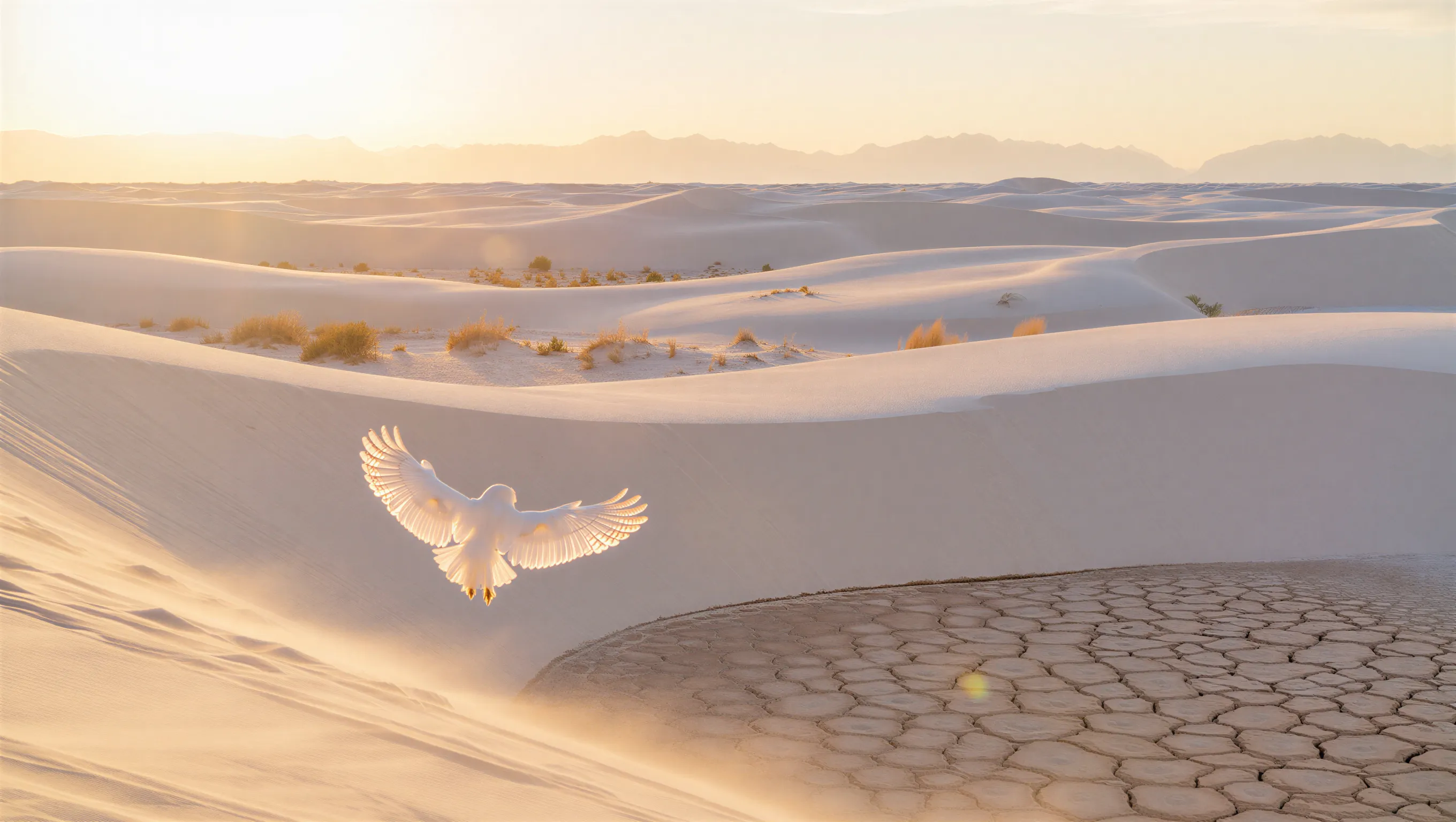
```
A minimalist wide shot of a vast white sand dune desert during golden hour. A white owl with its wings spread is in the foreground. Soft warm sunlight grazing the tops of the dunes, casting long shadows. Sparse, golden-brown desert shrubs are scattered across the ripples, with a prominent patch of dry, cracked, hexagonal mud in the bottom right foreground. In the far distance, a hazy, ethereal range of mountains rests against a pale, washed-out sky.
```
Comfy Cloudで開く
JSONをダウンロードするか、テンプレートライブラリで"Reve: Text to Image"を検索
**出力例**

### 出力例

```
A high-fashion editorial portrait of a young East Asian model with long, straight black hair and thick bangs, crouched in a studio setting. She wears a minimalist, muted beige dress. The image features a cinematic dual-tone lighting setup, where the left side is washed in a soft greenish-yellow glow and the right side is cast in cool, muted blue-grey, creating a subtle color bleed effect. There is a slight motion blur, with the subject looking directly at the camera with a calm, neutral expression. High-end fashion magazine aesthetic, soft focus background, structured silhouette.
```

```
A high-speed, cinematic capture of a vibrant red sports car speeding through the night. The camera angle is positioned near the rear-three-quarter view, emphasizing the sleek, metallic curves and the car's aerodynamic design. The entire background is transformed into a dramatic radial blur of brilliant yellow, orange, and white light streaks, suggesting extreme velocity. The car's surface reflects the warm ambient lights of the city, contrasting sharply with the deep, dark blue of the night sky.
```

```
A cinematic photograph of a woman with a bob haircut looking at her reflection in a mirror, her hands gently cradling a brilliant, glowing spherical white orb. The image is saturated in deep orange and amber tones, with heavy light leaks and lens flares washing out the center of the frame as the sphere radiates subtle, ethereal light. The composition features a soft, dreamy focus with significant analog film grain, creating a nostalgic atmosphere where the reflected face in the mirror appears slightly blurred and obscured by the warmth of the light leakage.
```

```
A high-action, wide-angle nighttime shot of a legendary Audi Quattro rally car drifting through a barren rocky field at the base of a volcano. The car is coated in white and black. Powerful auxiliary spotlights on the front of the car cast a bright, warm glow, catching the thick dust kicked up by the aggressive tread of the tires. In the background, out-of-focus volcano spraying lava. The scene is cold and dark, with the intense light from the lava creating dramatic contrast.
```
以下の例は、細部まで保持された4K解像度の出力を示しています:

```
A wide-angle landscape photograph of a solitary Jaguar F-Type car in British green, on a dirt trail facing a distant beach at twilight. The sky features dramatic long-exposure cloud streaks radiating from a low sun on the horizon. The foreground is dominated by jagged limestone rocks and blades of grass, leading the viewer's eye along a path that cuts through grassy hills toward the water. The lighting is cool and moody, casting deep shadows against the golden glow of the setting sun.
```

```
A minimalist wide shot of a vast white sand dune desert during golden hour. A white owl with its wings spread is in the foreground. Soft warm sunlight grazing the tops of the dunes, casting long shadows. Sparse, golden-brown desert shrubs are scattered across the ripples, with a prominent patch of dry, cracked, hexagonal mud in the bottom right foreground. In the far distance, a hazy, ethereal range of mountains rests against a pale, washed-out sky.
```
Reve: 画像編集
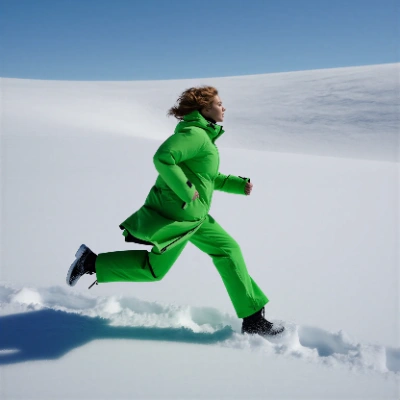
画像をアップロードし、テキストの指示で編集します。Reveの高度な編集モデルを使って、変更された出力画像を生成します。
 Comfy Cloudで開く
JSONをダウンロードするか、テンプレートライブラリで"Reve: Image Edit"を検索
**入力素材**
このファイルを対応する`LoadImage`ノードにアップロードしてください:
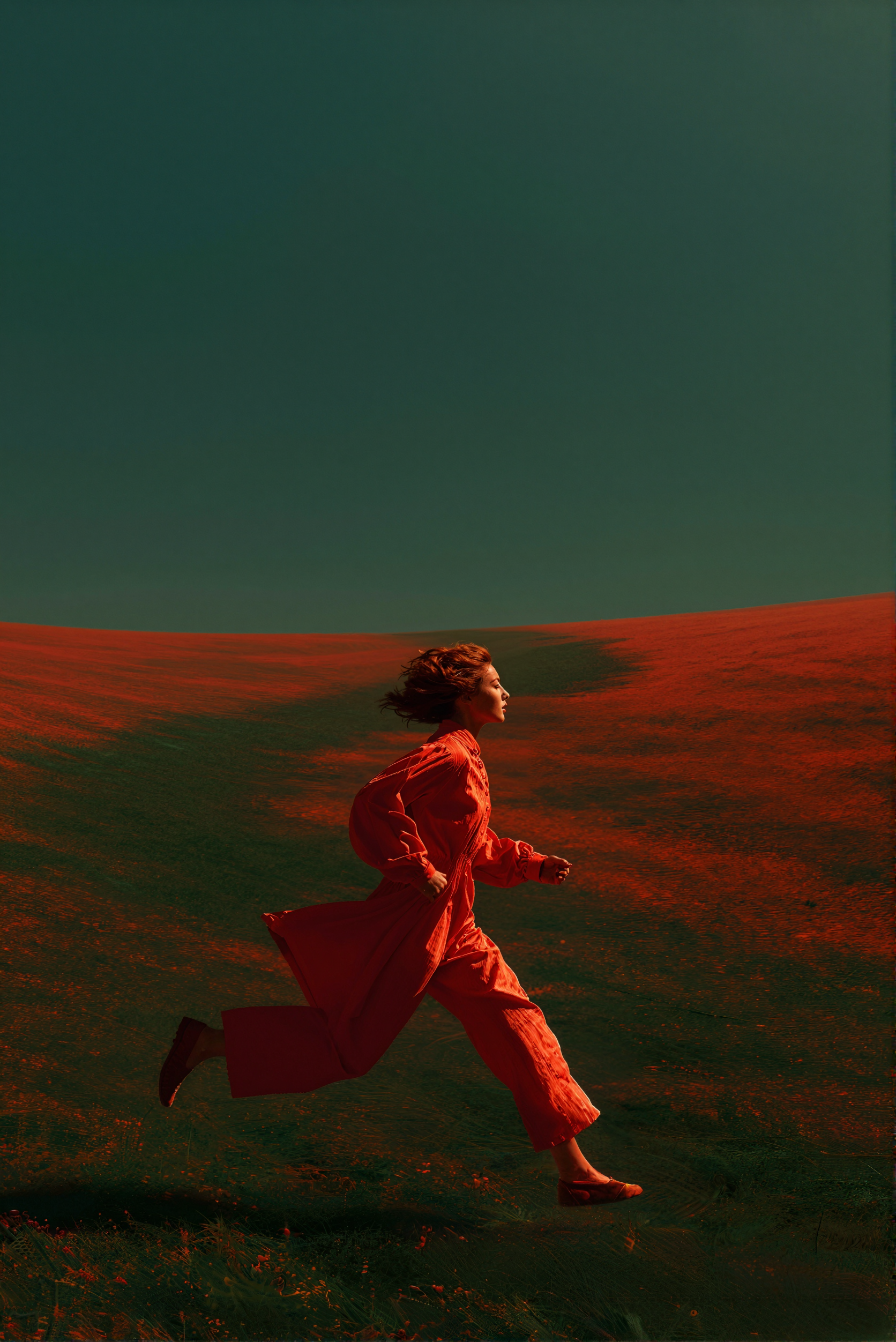
`LoadImage`ノード 4 · `woman_running_in_field.png`
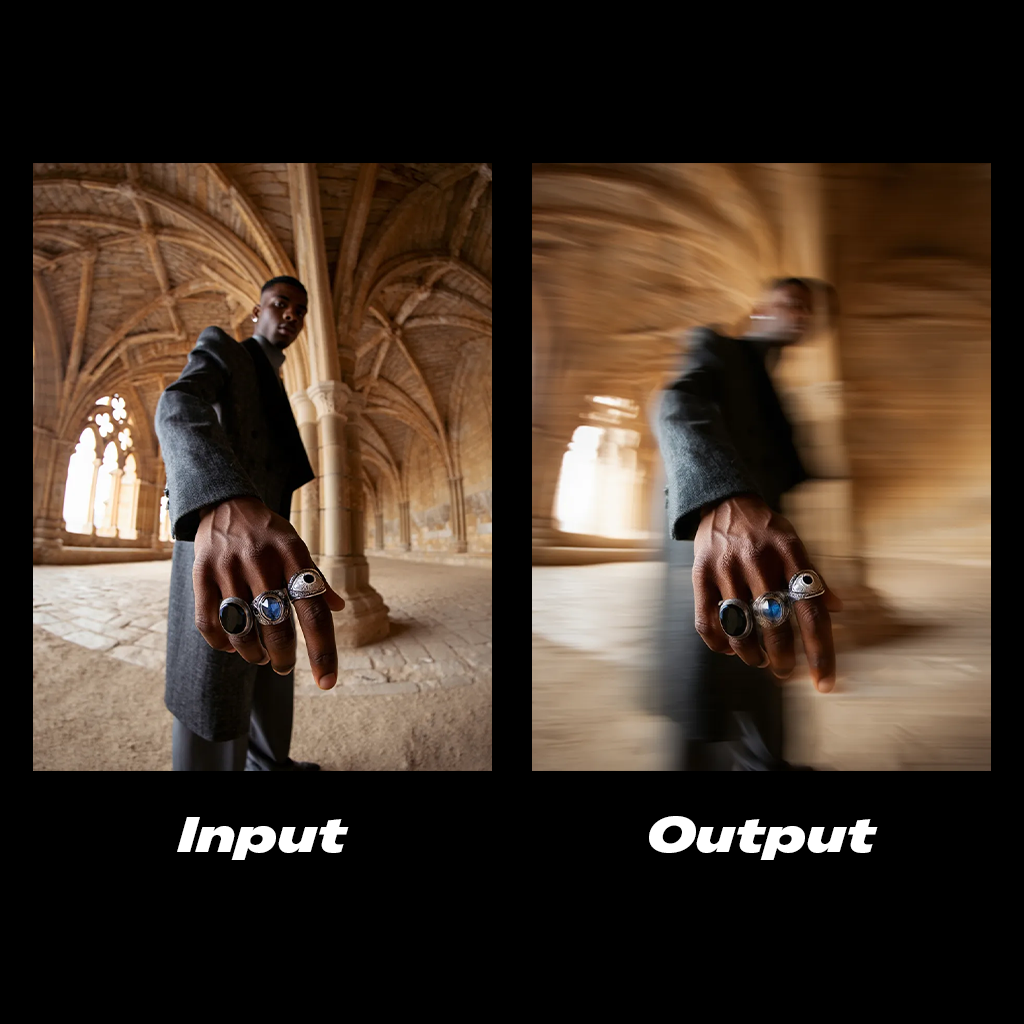
### 出力例
```
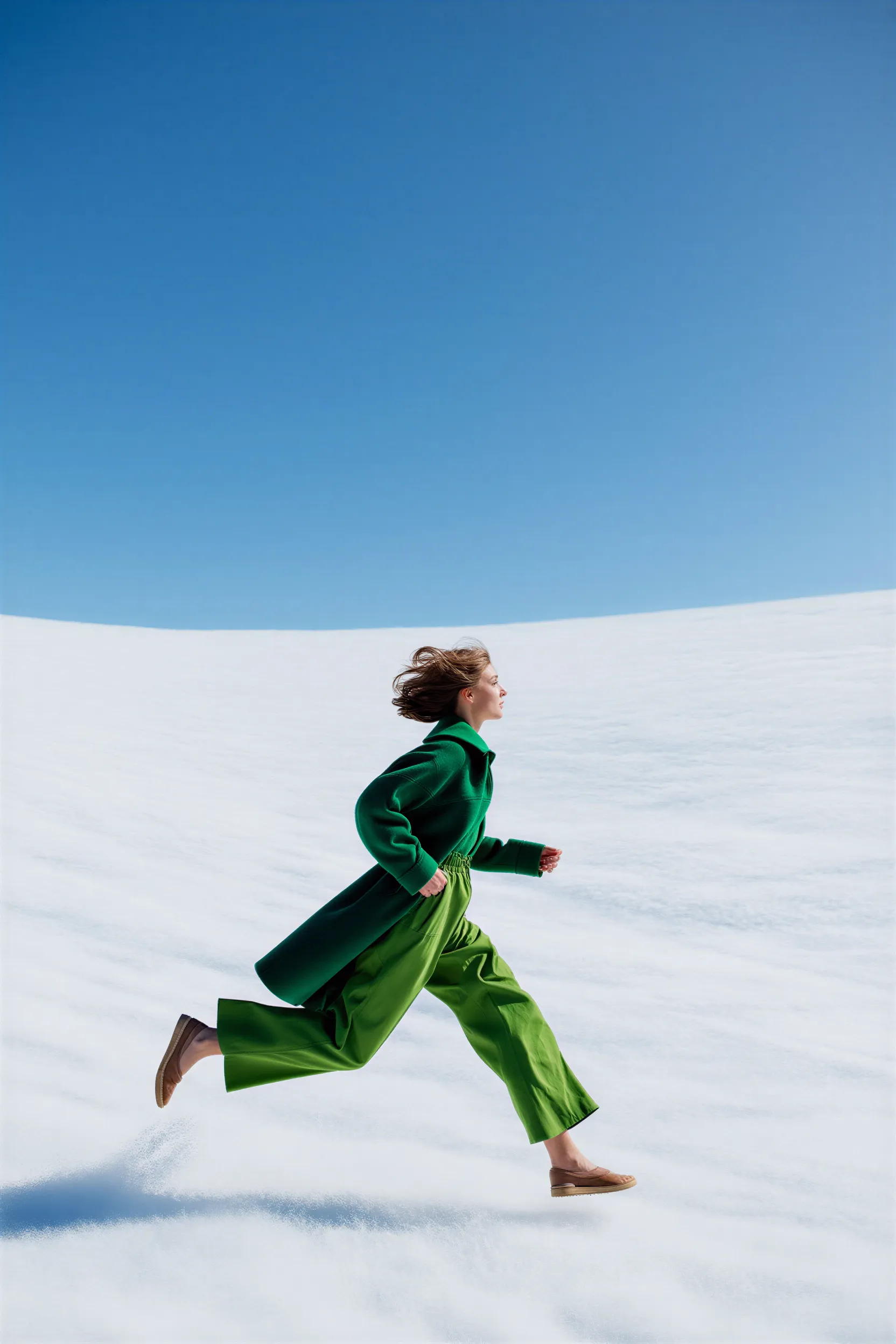
Add a cinematic horizontal streaks motion blur to the subject's body. The hand stays in clear focus.
```
```
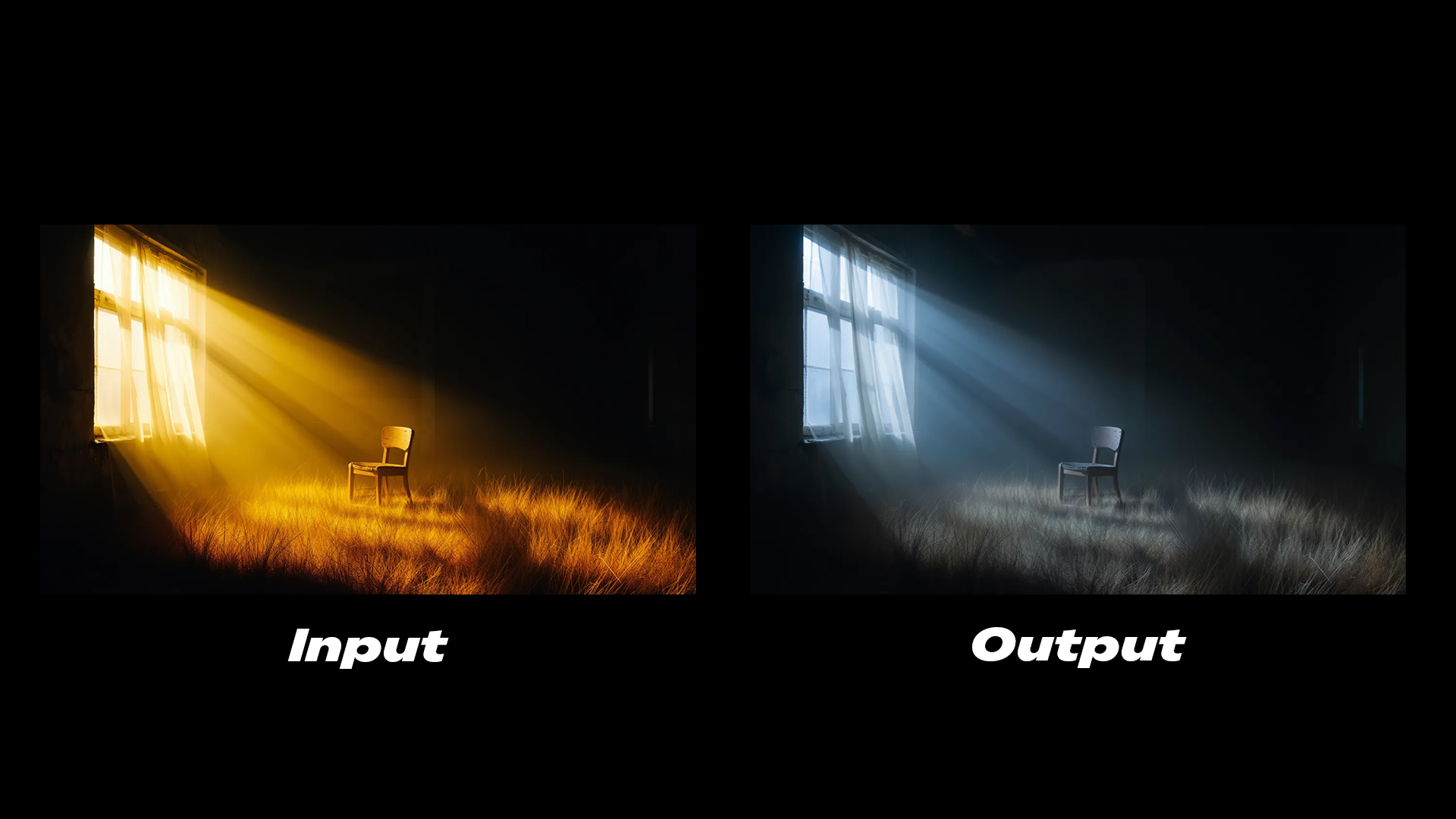
The lighting is cold, soft glow emits from the window.
```
```
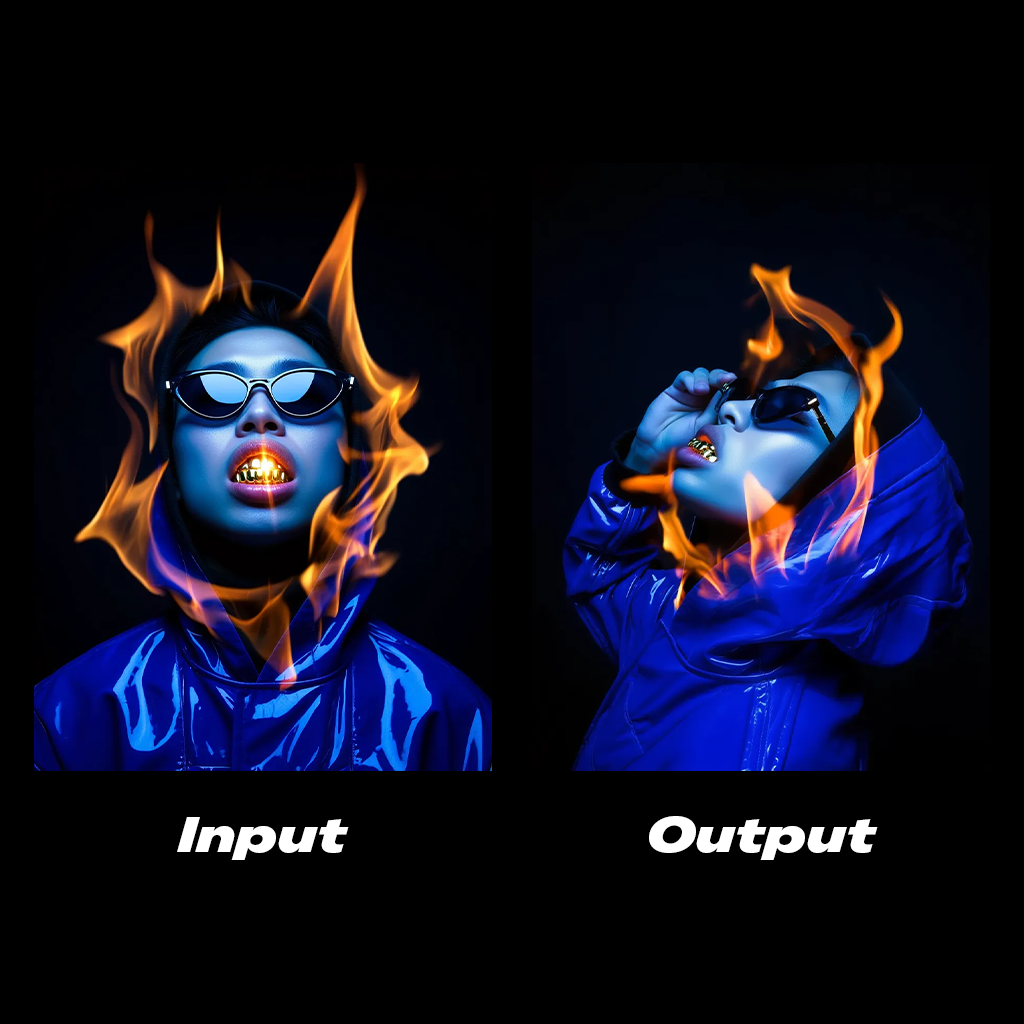
Side profile shot of the subject, his hand is grabbing the sunglasses.
```
Comfy Cloudで開く
JSONをダウンロードするか、テンプレートライブラリで"Reve: Image Edit"を検索
**入力素材**
このファイルを対応する`LoadImage`ノードにアップロードしてください:
`LoadImage`ノード 4 · `woman_running_in_field.png`
### 出力例

```
Add a cinematic horizontal streaks motion blur to the subject's body. The hand stays in clear focus.
```

```
The lighting is cold, soft glow emits from the window.
```

```
Side profile shot of the subject, his hand is grabbing the sunglasses.
```
Reve: 画像リミックスと編集
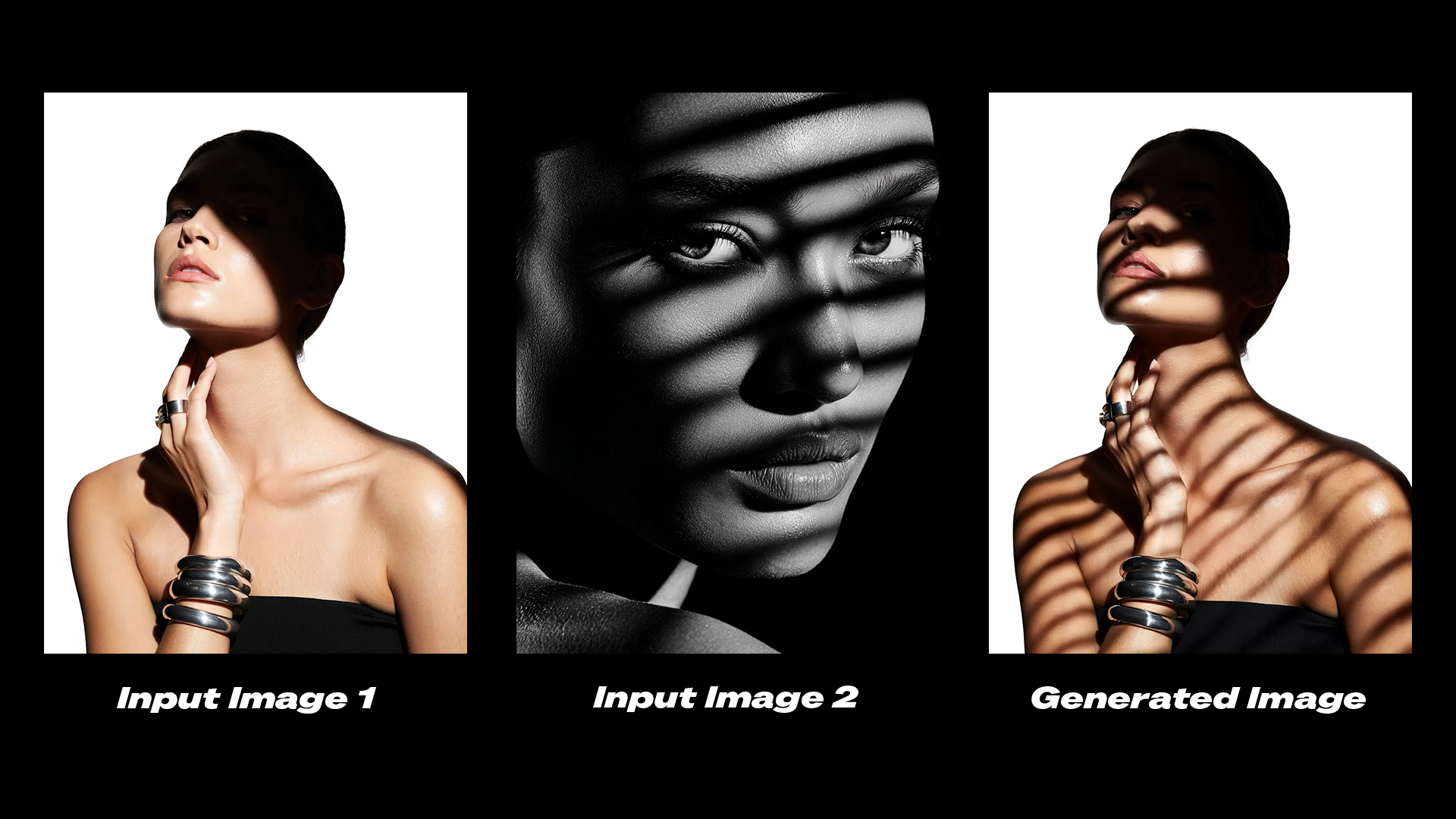
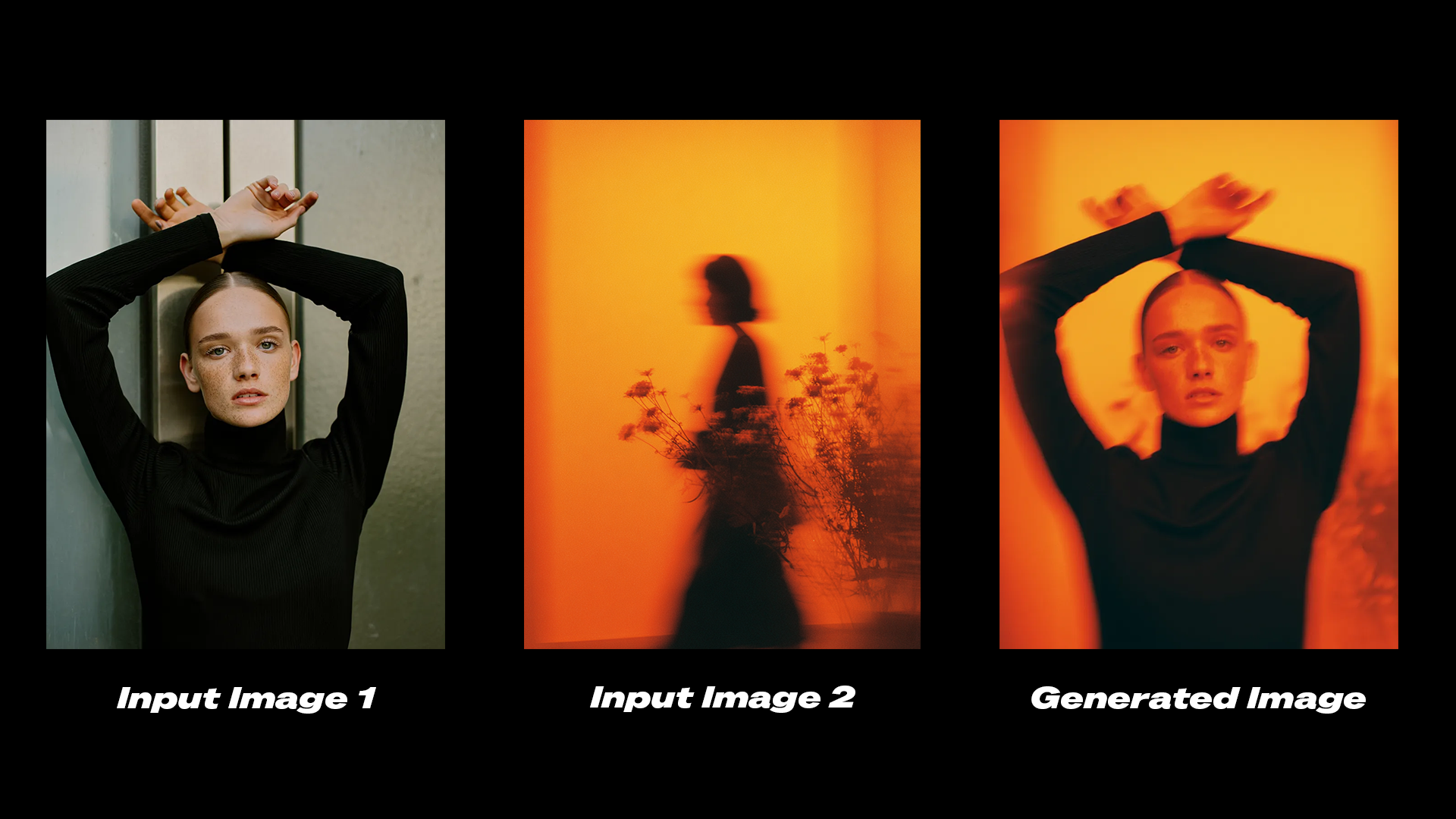
Reveの高度なモデルを使って画像をリミックスおよび編集します。複数の参照画像を1つの出力に組み合わせます。
 Comfy Cloudで開く
JSONをダウンロードするか、テンプレートライブラリで"Reve: Image Remix And Edit"を検索
**入力素材**
これらのファイルを対応する`LoadImage`ノードにアップロードしてください:
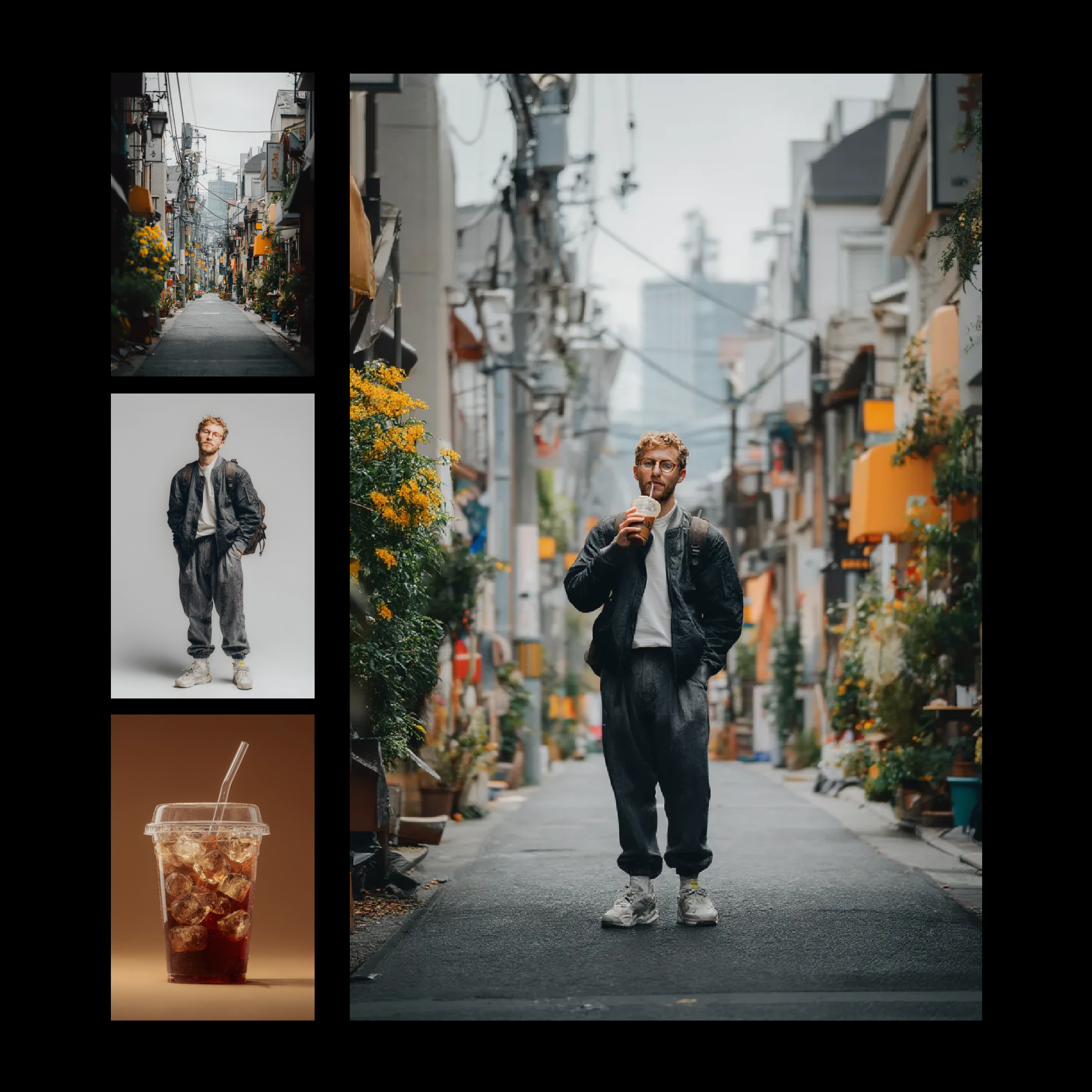
`LoadImage`ノード 2 · `iced_drink_cup.png`
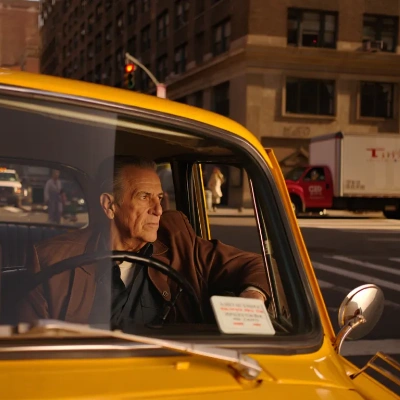
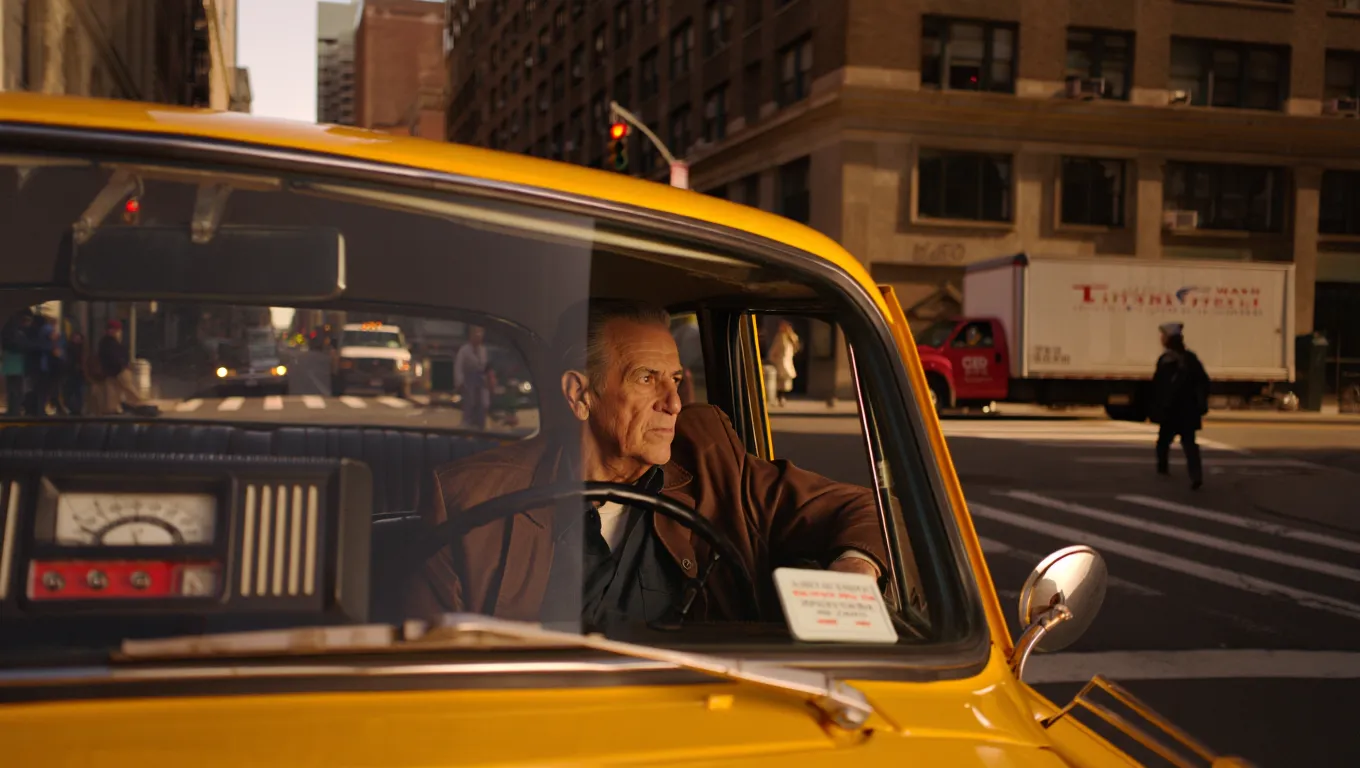
`LoadImage`ノード 4 · `casual_male_portrait.png`
`LoadImage`ノード 5 · `japanese_street_alley.png`
**出力例**
### 出力例
```
Edit the shadows on the subject in image 1 to match the shadows from image 2.
```
```
Transfer the color grading and aesthetic from image 2 onto image 1.
```
## はじめに
1. ComfyUIを最新バージョンに**更新**するか、[Comfy Cloud](https://cloud.comfy.org/?utm_source=docs)にアクセスします。
2. 左サイドバーのノードライブラリまたはテンプレートで、Reve Image Create、Reve Image Remix、Reve Image Editノードを**探します**。
3. ノードをキャンバスに**ドロップ**して開始します。
## 利用可能なノード
| ノード | タイプ | 説明 |
| --------------------- | --------- | ---------------------------- |
| **Reve Image Create** | テキストから画像へ | テキストプロンプトから最大4K解像度の画像を生成 |
| **Reve Image Edit** | 画像編集 | 既存の画像の照明、カラーグレーディング、モーションを変更 |
| **Reve Image Remix** | 画像リミックス | 参照画像の視覚的プロパティをターゲット画像に転送 |
Comfy Cloudで開く
JSONをダウンロードするか、テンプレートライブラリで"Reve: Image Remix And Edit"を検索
**入力素材**
これらのファイルを対応する`LoadImage`ノードにアップロードしてください:
`LoadImage`ノード 2 · `iced_drink_cup.png`
`LoadImage`ノード 4 · `casual_male_portrait.png`
`LoadImage`ノード 5 · `japanese_street_alley.png`
**出力例**

### 出力例

```
Edit the shadows on the subject in image 1 to match the shadows from image 2.
```

```
Transfer the color grading and aesthetic from image 2 onto image 1.
```
## はじめに
1. ComfyUIを最新バージョンに**更新**するか、[Comfy Cloud](https://cloud.comfy.org/?utm_source=docs)にアクセスします。
2. 左サイドバーのノードライブラリまたはテンプレートで、Reve Image Create、Reve Image Remix、Reve Image Editノードを**探します**。
3. ノードをキャンバスに**ドロップ**して開始します。
## 利用可能なノード
| ノード | タイプ | 説明 |
| --------------------- | --------- | ---------------------------- |
| **Reve Image Create** | テキストから画像へ | テキストプロンプトから最大4K解像度の画像を生成 |
| **Reve Image Edit** | 画像編集 | 既存の画像の照明、カラーグレーディング、モーションを変更 |
| **Reve Image Remix** | 画像リミックス | 参照画像の視覚的プロパティをターゲット画像に転送 |